

Copy My "Everything Agent" Setup (Intermediate)
How I Use Claude Code and Hermes Agent Together
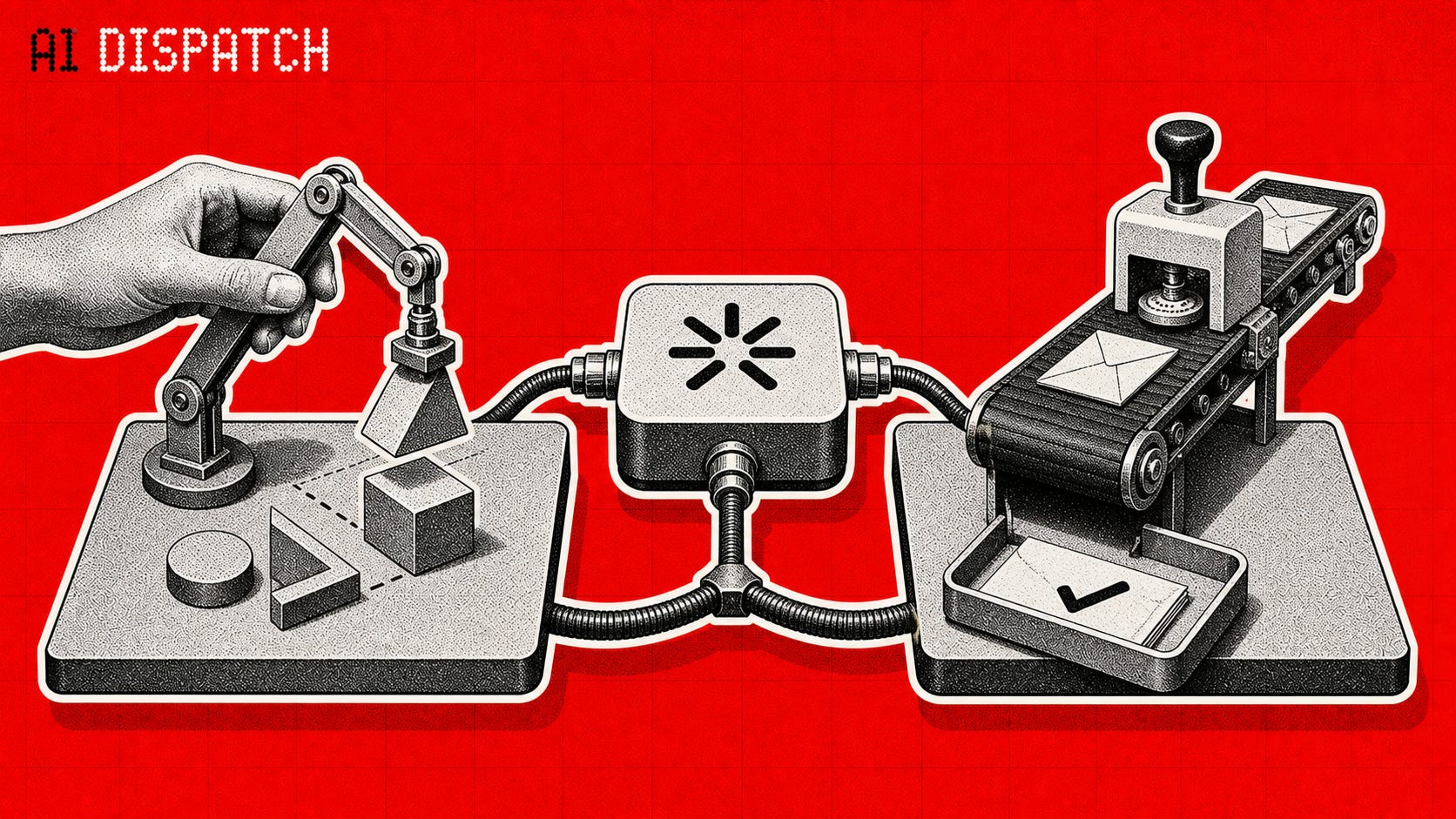
You should have a folder on your computer called your Everything Agent.
It contains your mission, knowledge base, current projects, past decisions, and the instructions for how you work. You open that folder with a coding agent, usually Codex or Claude Code, and work beside it.
You should use a second agent for a different job. It runs a Hermes agent, and it handles repeating work or notifications.
Most people who are power-using AI will have a similar setup, whether they call it their “second brain” or “company knowledge base” or “agentic engineering” setup.
The point is simple:
Split your proactive agent from your responsive agent.
AI engines keep changing. You can use Codex today and Claude Code tomorrow while your Everything Agent folder remains your Everything Agent. A new model can improve how you execute without forcing you to rebuild your business around the release.
You probably need more than one AI tool. But you probably don’t need a swarm of different engines.
Here’s how i break it down:
Proactive Agent: A coding agent works with you.
I open Codex or Claude Code when I want to make something.
That might be an article, a software project, a new offer, a marketing funnel, or a decision I have never made before. The coding agent can read the relevant files, pull in earlier work, and help me carry an idea from a rough thought to a finished asset.
The word “coding” can throw people off. My first meaningful use of Claude Code was knowledge work and coaching. I wanted one place that could reach the information scattered across my business. Today I use the same Speakeasy folder for writing, marketing, product work, client delivery, and software.
I stay actively present for this work, arguing with and steering the agent as it does work. This might be multiple “windows” or “tasks” or sessions as we go, but the Folder and its contents stay largely similar. I can ask it to inspect a project, build a draft, and check its own work while I keep my hands on the controls and my mind wrapped around the context, mostly.
Responsive: Hermes works for you
Hermes is a great agent runtime.
It keeps memory, can reach approved tools, and can receive commands when I am away from my desk, which changes the shape of the day.
A coding agent waits for me to open a session, but a Hermes agent can watch for a scheduled task, receive an incoming request, gather relevant context, and prepare work for approval.
A very simple framework for what a Hermes agent should do.
Trigger: either a schedule or a notification. Does it happen every morning at 9am or would your phone buzz at random times. Either works as the trigger.
Act: what does the AI have to do? respond in your voice? Check a box? Update a spreadsheet? If there’s a standard operating procedure, that’s what goes here.
Remember: The best part about Hermes (and that I put into my everything agent) is the automatic memory. Both for WHAT the agent does, and HOW WELL it worked. This lets it get better over time.
And once you have that framework baked into your workday…
These Agents protect your most valuable resource: attention.
When I open the Everything Agent in claude code or codex, I want to stay with one meaningful problem long enough to finish it or at least get as much done as possible.
This creates a much cleaner day. Everything becomes the place where I create the next thing. Hermes keeps the repeated work off my desk completely and I still get credit for it.
My goal is to move as much to the Hermes Agent as possible
I have a simple rule.
Once I zoom in on a repeated task enough that I trust the process, I save it as a skill.
New work stays with me and the coding agent while I learn what creates my ideal outcome. This usually requires me to
add a real example,
clarify the instructions
create a check that catches the failure
split tasks into different prompts within the skill
Over time, small skills add steps, quality control, and build trust.
In the future I’ll have more skills that run the above process for me. Programmatic usage and a deep awareness of your own decision making, I predict, will create what I call Agentic Scaling: a self-aiming business system. People are already talking about removing the human in the loop and leveraging up the chain with AI.
While large labs are still raising and spending money, there are other companies attacking Agentic Scaling from a different approach: basically fact-checking agents as they go. Bespoke labs, for example, raised $40 million on the thesis that simulating environments could make agents more reliable, catching and correcting hallucinations. Anthropic and OpenAI, on the other hand, seem to be focusing on building the biggest, baddest models that don’t hallucinate in the first place.
Either way, the 2-Agent setup keeps you in the driver’s seat as the acceleration continues.
Where I write to my agent outside of the prompt window: Scratchpad.md
I use a file called Scratchpad.md as the main “Notepad/To-do List” for myself, and for the agent to read. As lean and easy as an apple note, and directly in the agent’s visible files.
A new Claude Code or Codex chat does not automatically know what happened in the last one. Instead of explaining the project again, I can tell the agent to read the Scratchpad and continue. I can also open the file myself and see where everything stands.
It is not a complicated project-management system. But it is effective for me.
The easiest way to use the folder (or, at least, how I do it)
For most beginners, use VS Code with the Claude Code extension, or run Claude Code in VS Code’s built-in terminal. Your files stay visible in the left sidebar, so you can read and edit what the agent creates. Split the terminal into panes or tabs when you want several Claude Code chats working on different parts of the folder. That gives you one app with your files, edits, and agent sessions all in view.
My alternative is Claude Code in Ghostty with the same folder open as a vault in Obsidian. Ghostty handles the agent sessions; Obsidian makes the Markdown files pleasant to read and edit. Both setups do the same basic job. Pick the one that lets you see the files and understand what the agent is changing.
Build Your Everything Agent Prompt
You do not need my folder, mission, or file structure. You need a version built around your work.
If you want to create your Everything Agent, follow this process:
Create a new folder on your computer
Open that folder in your terminal, or vscode, or the Claude/OpenAI desktop app/s
Paste in the below prompt
It will help you set up a system prompt file, a useful file structure, and skills/rules so you only have to ever open one folder to do any type of work.
(P.S. if you’ve taken my Claude Cowork Bootcamp, this is the “coworker” folder you already have. You can open that in claude code or codex as well)
Here’s the prompt:
Initialize My Everything Agent

Turn this folder into the main workspace where you can help me think, write, plan, build, and finish work across my projects.

Do not start by creating files.

First, inspect this folder and its existing subfolders. Read the filenames and the small, high-level files that appear to explain how the workspace works. Look for existing instruction files, indexes, task lists, project folders, context, memory, and skills. Do not read secrets, credentials, private keys, .env files, or large archives. Do not assume an empty folder.

After the inspection, briefly tell me:

1. What useful structure already exists.
2. What is missing or unclear.
3. Which existing files you would preserve and build around.

Then ask only the essential questions you still need answered. Keep the interview short. Ask about:

- My mission: what I am trying to accomplish and who I help.
- My current priorities and active projects.
- The recurring kinds of work I want your help with.
- My preferred working style, including how direct, detailed, or proactive you should be.
- My hard boundaries: actions you must never take without approval, sensitive files you must not access, and anything you must never delete, publish, send, purchase, or share.

Do not ask me for information you can safely learn from the files already in this folder.

Once I answer, propose the smallest useful setup. Reuse and update existing files when possible. Never overwrite useful content, delete files, or reorganize existing folders without showing me the proposed change and receiving approval.

The finished workspace should include these parts:

1. Root instructions

- Use AGENTS.md as the main, tool-neutral instruction file.
- If I use Claude Code, also create CLAUDE.md as a short compatibility file that tells Claude to read and follow AGENTS.md before working.
- If either file already exists, preserve its useful instructions and merge carefully instead of replacing it.
- Put my mission, working rules, safety boundaries, quality standards, and basic workspace map in AGENTS.md.
- Keep instructions concrete. Write what to do, when to do it, and what requires my approval.

2. Workspace index

- Create or update _index.md as a lightweight routing layer for both my knowledge base and my active projects, not an inventory of every file.
- For each major knowledge topic or question, include a human-readable name, one sentence explaining what is there and when to open it, and the direct path to the original file or folder.
- For each active project, include its name, purpose, current status, project path, and the canonical file that explains its current state or next action.
- Add a source-of-truth note only when several files cover the same subject and the agent needs to know which one wins.
- Point to canonical files instead of copying their contents into the index.
- Route first, search second: read the root instructions, scan _index.md, and open the relevant project or knowledge file directly. This is usually a lower-token first pass than searching the entire workspace. Use file search when the index does not contain the route, when the indexed route appears stale, or when the task requires finding every matching reference.
- Keep skills and skill registries out of _index.md. This index exists to find knowledge and projects.
- Keep _index.md short enough to scan before starting work. Update it when the knowledge base or active projects gain an important new route.

3. Task tracker

- Create or update Scratchpad.md for current tasks, next actions, blockers, and completed work.
- Put the newest work at the top.
- Keep tasks concrete enough that another session can continue without asking me to repeat the context.

4. Work areas

- Create only the folders that match my real work. Do not invent departments I do not need.
- Separate major areas of responsibility when that will make retrieval easier, such as clients, content, sales, products, operations, research, or personal projects.
- Inside each area, use simple folders such as projects/, context/, and content/ only when they are useful.
- Never dump new files into the workspace root when they clearly belong in a work area.

5. Context and memory

- Create a clear place for durable context: important facts, definitions, preferences, past decisions, and project state.
- Keep temporary notes out of long-term memory.
- Record the source and date for important decisions when possible.
- Point to canonical files instead of copying the same information into several places.

6. Reusable skills

- Do not create a skills library during initialization unless this folder already contains real, repeated workflows worth preserving.
- If I later save reusable workflows, keep personal operational skills used by my own agent separate from skills packaged for customers or products.
- Do not turn a task into a skill until the process is clear enough to repeat.
- Do not build a comprehensive skill registry in _index.md. Keep the index focused on navigating the knowledge base and active projects.

7. Safety rules

- Never expose or print secrets.
- Never read credential files unless I explicitly ask and the task requires it.
- Never delete, publish, send messages, make purchases, change production systems, or take other external actions without explicit approval.
- Treat existing files as mine. Preserve them.
- Before a risky or difficult-to-reverse action, stop and ask.

After I approve the proposed setup, create or update the files non-destructively.

When finished:

1. Show me the final folder map.
2. Summarize what you created or changed.
3. Tell me where to update my mission, priorities, tasks, and knowledge-base routes.
4. Verify that AGENTS.md, CLAUDE.md when needed, _index.md, and Scratchpad.md point to the correct files and do not contradict one another.
5. Give me three example requests I can use immediately with this workspace.

Prefer a small system I will maintain over an impressive system I will abandon.
That gives your coding agent one stable home for your mission, files, decisions, projects, and repeatable ways of working. In future articles, I will show you how to add Hermes Agent for the responsive work that arrives on a schedule or repeats without you starting a session.
Have a great weekend,
-M
P.S. This is a decently advanced topic. If you are excited about having agents that work for you but you don’t know where to get started with AI, learn the fundamentals. I’m running a Claude Fundamentals Sprint live group starting Monday, July 20th. Sign up for the waitlist here if you think it might help.
This is great I will get onto the set up after work.
Question for you Mitch: all my connectors are broken. Cowork won’t connect to any of them for over a month now. I have tried everything from deleting them and re connecting to deleting co work and re downloading to deleting all my cache and nothing has worked. The connectors work in Claude chat just not in cowork which has become very annoying. Any hot tips ?